Can You Train AI Models on a Raspberry Pi?
(Spoiler: Kind of… but let’s talk about it.)
When people hear “AI” and “Raspberry Pi” in the same sentence, they usually picture tiny robots, face detection demos, or maybe voice recognition with Home Assistant.
But what if you want to go further?
Can you actually train machine learning models on a Raspberry Pi?
The short answer: kind of.
The long answer: it depends on what you’re training, why you’re training it, and which Pi you’re using.
This article breaks down what’s really possible, what’s not worth your time, and the smart ways to use a Raspberry Pi in machine learning projects.
What Does “Training” Really Mean?
Before diving in, let’s separate two key concepts in machine learning:
Training – creating a new model from raw data (compute-heavy, memory-intensive).
Inference – running a pre-trained model to make predictions.
The Raspberry Pi is fantastic for inference—especially when paired with accelerators like the Google Coral USB or Hailo-8 AI module.
But training models on a Pi? That’s where things get challenging.
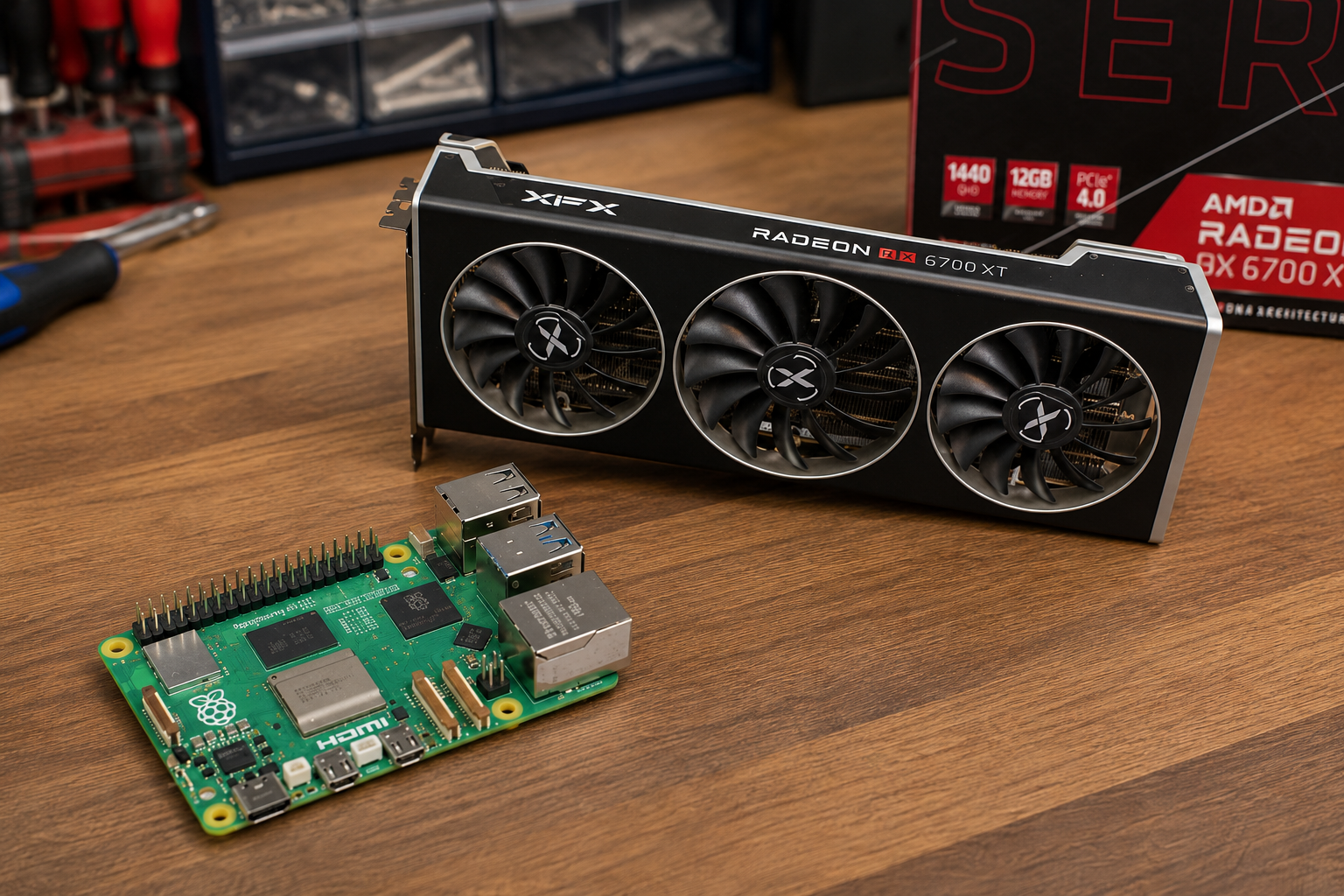
Can the Raspberry Pi Actually Train AI Models?
Yes—under certain conditions.
What You Can Train on a Raspberry Pi:
Lightweight models with small datasets (e.g. linear regression, decision trees).
TinyML networks like MobileNet, SqueezeNet, or TinyLlama (especially when fine-tuning).
Scikit-learn algorithms (KNN, SVM, random forest with small input sizes).
Custom classifiers through transfer learning (retraining the last layer of a CNN).
What You Shouldn’t Try to Train on a Raspberry Pi:
Full transformer-based LLMs like GPT, BERT, or Falcon (from scratch).
Deep convolutional neural networks (e.g. ResNet-50 on ImageNet).
Reinforcement learning environments with large updates.
Any training involving large batches or complex matrix math.
Put simply: the Pi can train something, but large-scale AI training will take weeks or months and quickly wear out your storage.
Realistic Training Scenarios for Raspberry Pi
If you’re determined to train on a Pi, these are the most practical use cases:
1. Retraining for Edge AI (TinyML)
Want to adapt an existing TensorFlow Lite model for your own dataset?
For example, retraining MobileNet to detect apples vs oranges in your warehouse.
On the Raspberry Pi, you can:
Collect images with the Pi camera.
Preprocess them directly on the Pi.
Retrain only the final layer with transfer learning.
Export a quantized
.tflitemodel for deployment.
This is a sweet spot for custom edge classifiers.
2. On-Device Data Collection & Preprocessing
Even if you don’t fully train models on the Pi, it excels at:
Gathering real-world data from sensors, cameras, or microphones.
Performing preprocessing like downsampling, segmentation, or augmentation.
Exporting clean datasets for GPU/cloud training later.
This ensures your training data is tailored to your deployment environment.
3. Federated Learning & Local Updates
In a federated learning setup, the Pi can:
Receive a global model from a server.
Train locally on private data.
Send updated weights back—without sharing raw data.
This approach works well for:
Privacy-focused smart homes.
Medical monitoring devices.
Industrial IoT sensors.
The Pi doesn’t carry the whole burden but still contributes meaningfully to distributed learning.
Limitations: What Holds the Pi Back
Training on a Raspberry Pi isn’t without hurdles:
CPU & RAM Bottlenecks
Raspberry Pi 4B: Quad-core Cortex-A72, 1–8 GB RAM.
Raspberry Pi 5: More powerful, but still nowhere near a GPU-equipped PC.
Heavy swapping and thermal throttling slow things down.
Storage Wear
SD cards degrade quickly under constant writes.
Use an SSD via USB 3.0 or M.2 if you plan repeated training.
Time Cost
Even small neural networks may take hours or days.
Larger models are simply impractical.
Tools That Make Training Possible
For those who want to experiment:
TensorFlow Lite – best for deployment, light training with transfer learning.
Scikit-learn + NumPy – great for traditional ML methods.
ONNX Runtime – supports small models on ARM CPUs.
TinyML frameworks – like MicroTVM, CMSIS-NN, or TinyMLgen.
AI accelerators (Coral, Hailo, Intel Movidius) speed up inference only, not training.
The Smarter Strategy: Train Elsewhere, Run on Pi
If your goal is to use AI effectively on the Raspberry Pi, here’s the professional approach:
Train your AI model on a PC, GPU workstation, or cloud platform.
Optimize & quantize the model using TensorFlow Lite Converter or ONNX.
Deploy it on the Raspberry Pi for inference.
This way, your Pi becomes a lightweight inference engine rather than a bottleneck.
Final Thoughts: Is It Worth Training on a Raspberry Pi?
So—can you train AI models on a Raspberry Pi?
Yes, technically.
But should you? Only for small, targeted, or experimental tasks.
The Raspberry Pi shines in deployment and edge inference:
Smart sensors
IoT edge nodes
Privacy-first AI assistants
Real-world data collectors
For heavy training, stick to a GPU or the cloud. For edge AI deployment, the Pi is one of the best low-cost platforms in the world.
10 Surprisingly Powerful Projects You Can Build with Raspberry Pi
...and why it’s no longer just for tinkerers
For years, the Raspberry Pi carried the reputation of being a low-cost board for classroom coding exercises, blinking LEDs, and retro gaming projects. While that may have been true in its early days, the platform has since grown into one of the most versatile, affordable, and underestimated development tools available today.
With the release of newer Pi models—combined with an ever-growing ecosystem of add-on boards, software frameworks, and community support—the Raspberry Pi has moved well beyond hobby tinkering. It is now being used for industrial prototyping, AI deployment, automation, and even lab research.
Below, we’ll walk through 10 surprisingly powerful projects you can build with Raspberry Pi—covering real-world applications, design tips, and the hardware/software stack needed to make them successful.
1. Edge AI Object Detection
AI at the edge no longer requires large GPUs or expensive cloud subscriptions. With Raspberry Pi 4 or Pi 5, paired with accelerators like Google Coral TPU or the Hailo-8 M.2 module, you can run real-time inference locally.
Using frameworks such as:
TensorFlow Lite
YOLOv5 via OpenCV
MediaPipe
…you can create systems that detect faces, track movement, recognize license plates, or identify specific objects on the fly.
Practical applications include:
Wildlife detection cameras that operate without an internet connection
Real-time object counters for factories and retail spaces
Smart parking systems capable of license plate recognition
The Pi’s affordability means AI solutions that once required cloud subscriptions can now run entirely offline, improving both privacy and reliability.
Object detection example of a dog, bicycle, and a truck.
2. Industrial Data Logger with RS-485
Legacy systems aren’t going away anytime soon. Many industrial sensors, HVAC units, and PLCs still rely on RS-485 communication—a protocol the Raspberry Pi can handle with the right HAT or interface.
With Python libraries like minimalmodbus or pymodbus, Raspberry Pi can act as a:
Data logger for temperature, humidity, or energy meters
Protocol bridge between Modbus RTU and MQTT
Diagnostic tool for troubleshooting legacy equipment
Example use case: A Pi-based Modbus logger installed in a warehouse can continuously track environmental conditions and push the data to an IoT dashboard, making monitoring both affordable and scalable.
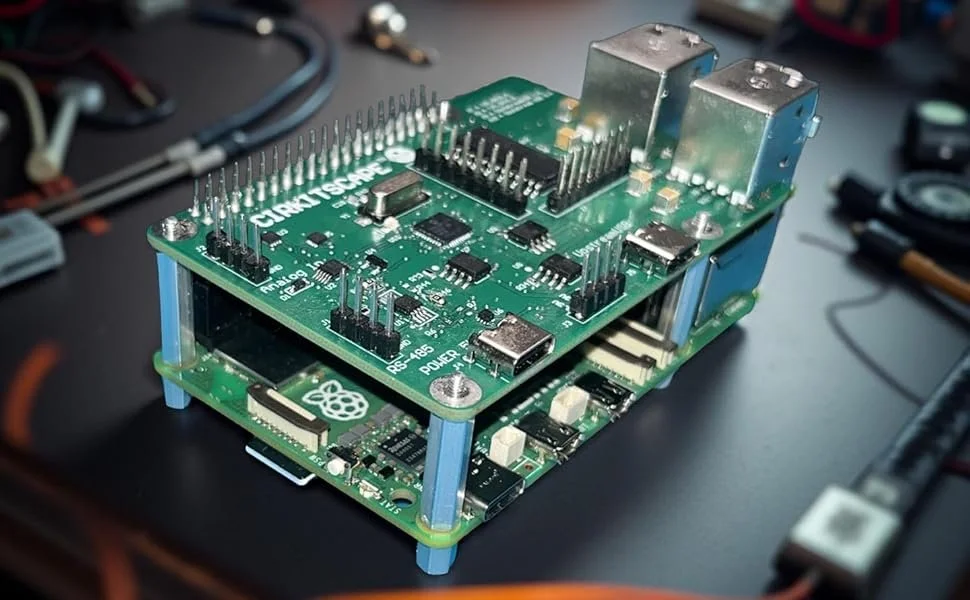
For developers and engineers, boards like the Top HAT combine RS-485 with GPIO expansion, ADCs, and power management—making industrial prototyping faster and more reliable.
3. Home Automation Gateway
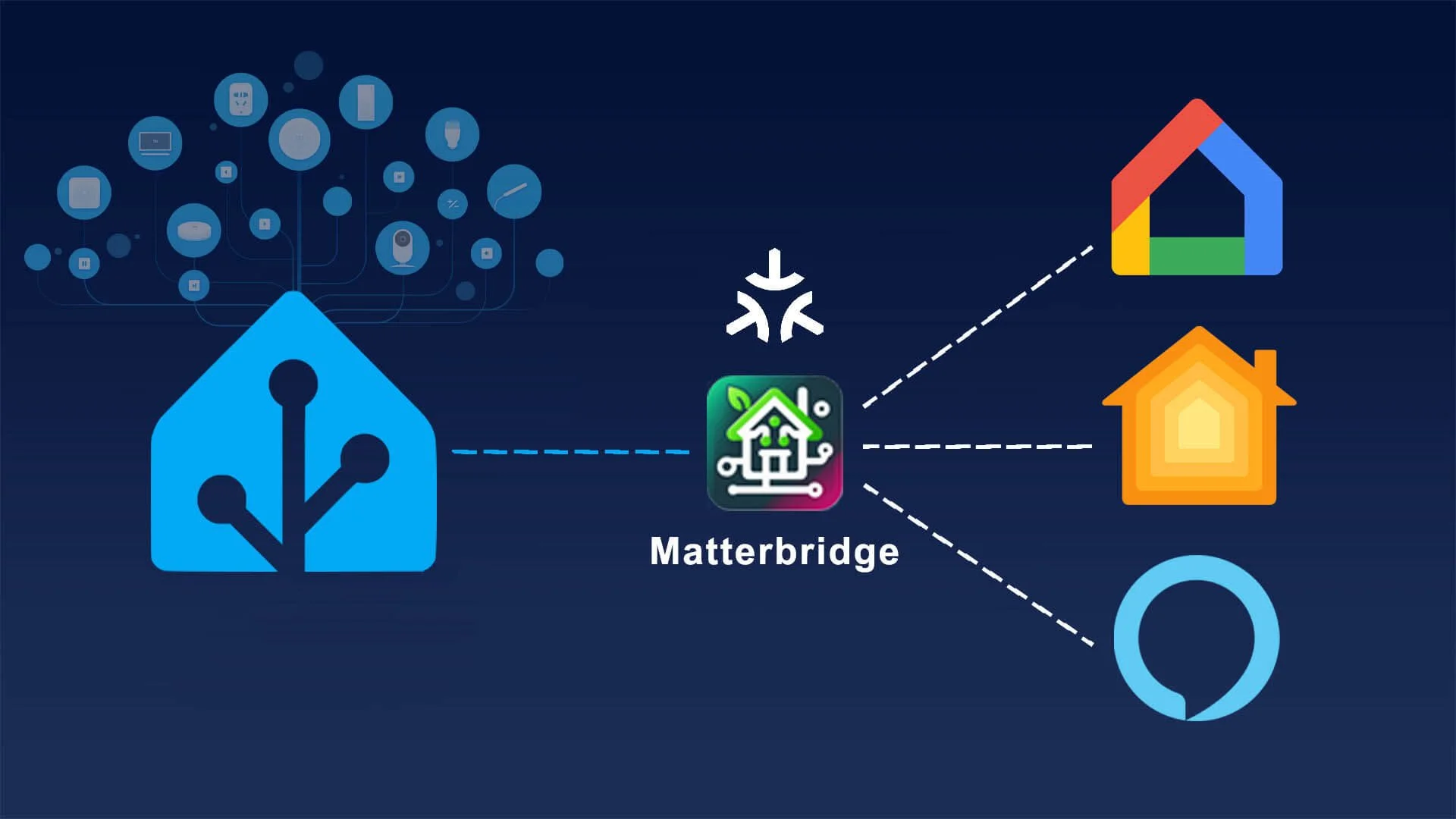
Commercial smart home hubs often come with vendor lock-in and cloud dependency. Raspberry Pi, running Home Assistant or OpenHAB, gives you full control of your smart home—without giving up privacy.
A Pi-based hub allows you to:
Control Zigbee, Z-Wave, BLE, and Wi-Fi devices from one interface
Automate lights, HVAC, security systems, and appliances
Run all automations locally, ensuring they still work without internet
Optionally integrate with Alexa or Google Assistant
This approach keeps ownership of your data and rules in your hands. Many enthusiasts now prefer Raspberry Pi as the backbone of their privacy-first smart homes.
4. Personal Private Cloud
Want your own secure alternative to Google Drive or Dropbox? With a Raspberry Pi, you can deploy a full private cloud solution.
Popular tools include:
Nextcloud for file syncing, document editing, and collaboration
Pi-hole to block ads and trackers across your network
WireGuard or Tailscale for encrypted remote access
Apache or Nginx for hosting personal websites or dashboards
Pair your Pi with a USB 3.0 SSD or an M.2 expansion to increase both speed and storage capacity. The result is a compact, self-hosted server that protects your data while remaining accessible from anywhere.
5. Retro Gaming Console
One of the most famous Pi projects is retro gaming, but it has grown far beyond NES emulation. With distributions like RetroPie and Batocera, you can emulate systems including:
NES, SNES, and Sega consoles
PlayStation 1
Game Boy and Game Boy Advance
Select N64 and PSP games (on Pi 4/5)
Hobbyists frequently 3D print cases, build handheld consoles, or even design full arcade cabinets around Raspberry Pi hardware—blending nostalgia with modern DIY design.
Screen shoot of Pac-Man game play.
6. Environmental Monitoring Station
Raspberry Pi is ideal for scientific data logging thanks to its low power requirements, GPIO access, and compatibility with sensors.
With sensors like the DHT22 (temperature/humidity), BMP180 (barometric pressure), MQ135 (air quality), and soil moisture probes, you can build:
Greenhouse monitoring systems
Pollution and air quality studies
Microclimate weather stations
Smart agriculture tools
By adding LoRa radios or cellular modules, Pi-based stations can transmit data from remote or off-grid environments, powered by solar panels and batteries.
7. Wildlife or Security Camera
Raspberry Pi with a camera module or USB webcam can function as a smart surveillance system.
Capabilities include:
Streaming video via MJPEG or RTSP
Recording when motion is detected
Uploading clips to a NAS or personal server
Capturing time-lapse sequences over long periods
Adding OpenCV or TensorFlow allows you to filter motion events by object type—meaning your system can ignore false triggers from pets or wind-blown branches while alerting you only to relevant movement.
Security footage example
8. Digital Signage Display
Raspberry Pi has become a go-to replacement for dedicated signage controllers. Its fanless design, small size, and affordability make it ideal for commercial installations.
Software options like Screenly, InfoBeamer, and Yodeck let you run:
Storefront advertisements
Restaurant menu boards
Conference/event screens
Real-time business dashboards
This approach reduces cost while providing a flexible, scalable signage system.
9. Lab Automation and Test Bench Control
In labs and test environments, Raspberry Pi shines as a bridge between software and physical hardware.
Through GPIO, I²C, and SPI, you can:
Automate calibration procedures
Build functional test stations for electronics
Perform power cycling during endurance testing
Collect analog and digital data with add-on ADC/DAC boards
The ability to control equipment directly from Python scripts or shell commands makes Raspberry Pi an invaluable tool for engineers and researchers.
10. Offline AI Chatbot Assistant
Running AI models locally is now possible thanks to Raspberry Pi 5’s improved hardware. By leveraging lightweight frameworks such as Llama.cpp, Ollama, or GPT4All, you can create an offline AI assistant that:
Recognizes voice commands with Whisper
Responds through text or voice output
Assists with coding, research, and automation tasks
Runs entirely without an internet connection
This setup provides a private alternative to cloud AI assistants, with enough capability for productivity, coding support, and lightweight conversational tasks.
Screen shot of Ollama web UI
Bonus: Expand Raspberry Pi’s Capabilities
Out of the box, Raspberry Pi has limitations—such as no built-in analog inputs, limited GPIO, and no RS-485 interface. Expansion boards like the Top HAT address these gaps by adding:
Extra GPIO expanders
RS-485 communication for industrial use
ADC channels for sensor inputs
A USB hub for peripheral management
Power path management with battery support
Instead of juggling multiple add-ons, you get a single, integrated board that transforms Raspberry Pi into a rugged prototyping platform.
Final Thoughts
Raspberry Pi has evolved from a teaching tool into a serious platform for prototyping and product development. From edge AI and automation to environmental science and industrial integration, it enables projects once limited to high-budget labs or enterprises.
Whether you’re an engineer building an MVP, a researcher monitoring field data, or a maker experimenting with AI, Raspberry Pi provides the flexibility, scalability, and affordability to bring ideas to life.
With the right hardware expansions, you’re not just building projects—you’re building solutions.
Can Raspberry Pi Power Your Next Industrial Prototype?
For over a decade, the Raspberry Pi has been a favorite tool for hobbyists, students, and makers—powering everything from coding lessons to retro gaming consoles. But in recent years, the Pi has stepped into a new arena: industrial prototyping and edge computing.
So here’s the real question: Can a $35–$75 Raspberry Pi really handle industrial-grade projects?
For over a decade, the Raspberry Pi has been a favorite tool for hobbyists, students, and makers—powering everything from coding lessons to retro gaming consoles. But in recent years, the Pi has stepped into a new arena: industrial prototyping and edge computing.
So here’s the real question: Can a $35–$75 Raspberry Pi really handle industrial-grade projects?
Spoiler: Yes—if you equip it the right way.
The Case for Raspberry Pi in Industrial Prototyping
At first glance, the Raspberry Pi doesn’t look like an industrial controller. It lacks rugged enclosures, DIN rail mounts, and screw terminals. But underneath, it offers:
A full Linux OS (Debian, Ubuntu, Yocto) with automation support
Built-in GPIO, UART, I²C, and SPI interfaces
Support for modern frameworks like Python, Node-RED, MQTT, Docker, and Kubernetes
An enormous open-source community and documentation
In short, Raspberry Pi is a low-cost, highly customizable platform—and for prototyping industrial systems, flexibility is more valuable than specialized hardware.
Real-World Industrial Applications
Here are some practical ways engineers and developers are already using Raspberry Pi in industry:
Process Monitoring – Collect sensor data (temperature, vibration, pressure) via I²C or SPI
Predictive Maintenance – Run machine learning models at the edge to detect anomalies in motors or pumps
Legacy Bus Control – Communicate with Modbus RTU (RS-485) or CAN-enabled devices
IoT Gateways – Securely bridge field devices to the cloud over MQTT or HTTPS
Human-Machine Interfaces (HMI) – Power dashboards and touchscreen displays for operators
These use cases prove the Pi isn’t just a toy—it’s a capable prototype platform for Industry 4.0 projects.
Limitations of Raspberry Pi in Industrial Settings
Despite its versatility, the Raspberry Pi wasn’t designed for rugged environments. Common pain points include:
No analog inputs (ADC required)
GPIOs vulnerable to voltage spikes
No native RS-485 or CAN transceivers
MicroSD card wear from constant logging
This is where most DIY Pi projects break down. Without the right expansion hardware, you end up with a tangle of HATs and breakout boards—not a production-ready prototype.
The Solution: Raspberry Pi Expansion Boards
To unlock industrial capability, you need a single, consolidated expansion board that adds all the missing features.
Meet the Top HAT
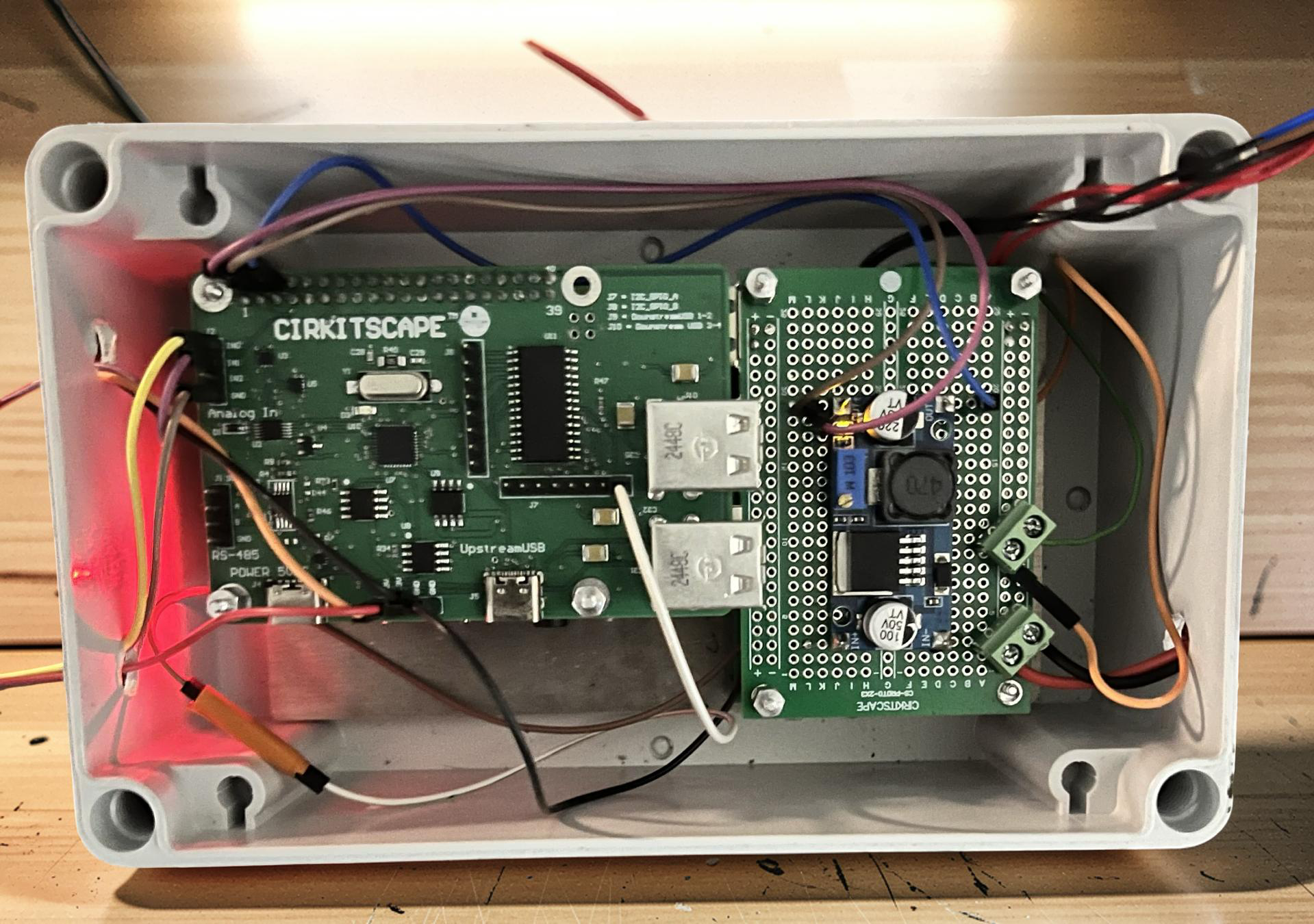
The Top HAT is an industrial expansion board that transforms the Raspberry Pi into a deployment-ready prototyping system:
RS-485 Support – Native Modbus RTU and custom serial communication
Analog Inputs (ADC) – Read real-world sensors with precision
GPIO Expansion – Drive relays, LEDs, and isolated digital IO
Integrated USB Hub – Expand connections for data logging or wireless modules
Instead of stacking multiple HATs, the Top HAT provides a single industrial-grade interface layer.
Prototype Fast, Scale Smarter
With the Top HAT, your Raspberry Pi becomes more than a development board—it becomes a launchpad for real-world solutions. Whether you're in the lab or on the factory floor, you can:
Build and test prototypes in hours, not weeks
Validate industrial sensors and protocols quickly
Scale your software stack with Linux tools and Docker
Transition later to a custom board or hardened industrial PC
This workflow keeps costs low and iteration cycles fast—perfect for startups, engineers, and R&D teams.
Final Thoughts
The Raspberry Pi may not be industrial out of the box, but with the right expansion hardware, it’s a serious contender for industrial prototyping.
Whether you’re building a smart factory tool, an IoT gateway, or a process automation system, the Pi can help you move from concept to prototype faster than traditional industrial PCs.
And with solutions like the Top HAT, you don’t need to cobble together multiple HATs—you get a clean, reliable platform ready for real-world testing.
Want to see how the Top HAT can level up your Raspberry Pi? Check out the product page here or get in touch for more details.
UART vs SPI vs I2C: Which Protocol Should You Actually Use?
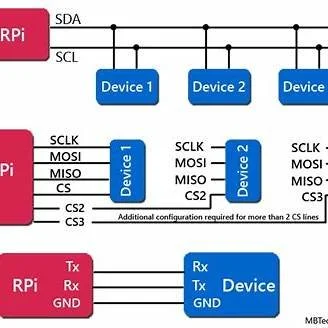
If you've ever stared at a microcontroller datasheet wondering whether to use UART, SPI, or I2C for your next project, you're not alone. These three serial communication protocols are the backbone of embedded systems, but choosing the wrong one can lead to headaches down the road.As engineers, we've all been there - debugging a sluggish I2C bus at 3 AM or wondering why our SPI sensor isn't responding. The truth is, each protocol has its sweet spot, and understanding when to use which one can save you countless hours of troubleshooting.UART / SPI / I²C side‑by‑side wiring overview
If you've ever stared at a microcontroller datasheet wondering whether to use UART, SPI, or I2C for your next project, you're not alone. These three serial communication protocols are the backbone of embedded systems, but choosing the wrong one can lead to headaches down the road.As engineers, we've all been there - debugging a sluggish I2C bus at 3 AM or wondering why our SPI sensor isn't responding. The truth is, each protocol has its sweet spot, and understanding when to use which one can save you countless hours of troubleshooting.The Serial Communication Landscape
Before diving into the comparison, let's understand why serial protocols matter. In embedded development, components need to talk to each other - microcontrollers to sensors, processors to memory, displays to controllers. Serial communication allows this data exchange using fewer wires than parallel interfaces, reducing PCB complexity and cost.Quick Protocol Overview
UART (Universal Asynchronous Receiver-Transmitter)
The Simple One: Point-to-point communicationWires: 2-3 (TX, RX, optional GND)Speed: Typically 9600 to 115200 baud, up to 1 MbpsAddressing: None - direct connection only
SPI (Serial Peripheral Interface)
The Speed Demon: High-speed, full-duplex communicationWires: 4+ (MOSI, MISO, SCLK, CS per slave)Speed: 10+ MHz common, can exceed 100 MHzAddressing: Chip select lines for each slave
I2C (Inter-Integrated Circuit)
The Bus Master: Multi-device shared busWires: 2 (SDA, SCL) plus power and groundSpeed: 100 kHz (standard), 400 kHz (fast), 1 MHz (fast+)Addressing: 7-bit or 10-bit device addresses
The CHIPS Act Revolution: What It Means for U.S. Electronics Manufacturing in 2025
It all begins with an idea.
As a U.S.-based electronics manufacturer, the $52.7 billion CHIPS Act isn't just policy—it's a game-changer that's reshaping our industry. Here's what every engineer and hardware developer needs to know.
$39B in manufacturing incentives
25% tax credit for semiconductor investments
Expected supply chain improvements by 2026
New opportunities for U.S.-based hardware startups
What’s the Big Deal with the CHIPS Act?
If you work in electronics manufacturing or hardware development, you’ve probably felt the pain of chip shortages over the last few years. Whether it was waiting months for an MCU, dealing with skyrocketing prices, or scrambling to redesign a PCB around an alternative part, supply chain issues have been a headache for everyone.
That’s where the CHIPS and Science Act comes in. Passed in 2022, this $52.7 billion investment is the U.S. government’s attempt to bring semiconductor production back home, making the industry more resilient and less dependent on overseas fabs.
But what does this mean for engineers, startups, and manufacturers? Is this just another government initiative with no real impact, or will it actually change how we build electronics in the U.S.? Let’s break it down.
Why Was the CHIPS Act Even Necessary?
Back in the 1990s, the U.S. made nearly 40% of the world’s semiconductors. Fast forward to today, and that number has dropped to 12%—while countries like Taiwan, China, and South Korea have taken over the market.
This shift didn’t happen overnight. It was the result of:
Outsourcing for lower costs – Companies moved production offshore to stay competitive.
Massive government subsidies overseas – Taiwan and China heavily funded their semiconductor industries, while the U.S. didn’t.
Supply chain risks getting ignored – Until the pandemic, most companies didn’t think twice about where their chips came from.
Then COVID-19 hit, demand skyrocketed, and supply chains collapsed. Car companies halted production, electronics manufacturers scrambled for parts, and even defense contractors struggled to get the chips they needed.
The U.S. realized it had a major problem—so it decided to do something about it.
What’s in the CHIPS Act?
The CHIPS Act is basically a giant stimulus package for semiconductor manufacturing and research in the U.S. Here’s where the money is going:
1. $39 Billion in Manufacturing Incentives
Funding to build new semiconductor fabs in the U.S.
Grants and tax breaks for companies investing in domestic production.
Major chipmakers like Intel, TSMC, Samsung, and Micron are already planning new facilities in states like Arizona, Texas, and Ohio.
2. $13.2 Billion for Research & Development
Establishing the National Semiconductor Technology Center (NSTC) to push innovation.
Funding workforce training programs to grow the number of engineers and technicians in the semiconductor industry.
Investing in next-gen chip technologies like AI accelerators, RISC-V processors, and ultra-low-power semiconductors.
3. 25% Tax Credit for Semiconductor Investments
If a company spends money on chip manufacturing or equipment in the U.S., they get a 25% tax break—which could be a big deal for growing businesses.
4. $2 Billion for Defense & Critical Industries
Ensuring that military, aerospace, and high-tech industries have access to secure, U.S.-made chips.
How Will This Actually Impact Electronics Manufacturing?
More Chips, Fewer Supply Chain Nightmares
One of the biggest issues in electronics manufacturing has been long lead times for essential components. With more U.S. fabs coming online, we could see:
Shorter wait times for processors, microcontrollers, and FPGAs.
Fewer disruptions from international conflicts or trade restrictions.
More stable pricing over time, as local production increases supply.
Right now, we’re still a few years away from seeing the full effects, but the investment is a step in the right direction.
2. More Opportunities for Startups & Small Manufacturers
If you’re a startup working on AI chips, IoT devices, or custom hardware, this could be huge. The CHIPS Act includes funding for:
R&D grants to support new chip designs.
Partnerships with new U.S.-based fabs to get prototypes made faster.
Tax breaks that could lower production costs for small to mid-size hardware companies.
For years, many small hardware startups had no choice but to outsource manufacturing to China or Taiwan. With this new investment, it might finally make financial sense to keep production local.
3. More Onshore PCB Assembly & Electronics Manufacturing
Even though the CHIPS Act is focused on semiconductors, it will ripple across the entire electronics industry. As more chips are made in the U.S., we could see:
More domestic PCB manufacturing options.
Stronger local supply chains for parts and components.
More U.S.-based contract manufacturers expanding their capabilities.
This could be a game-changer for companies that want to proudly label their products “Made in the USA” without blowing their budgets.
4. More Jobs & Higher Demand for Engineers
With billions pouring into semiconductor manufacturing, companies will need more skilled workers to design, test, and build these chips.
Electrical engineers, embedded developers, and FPGA designers will be in high demand.
More apprenticeships and training programs will open up for engineers looking to get into the semiconductor space.
Long-term career growth in fields like AI chip design, high-performance computing, and custom ASIC development.
The Challenges & Unanswered Questions
Not everyone is convinced that the CHIPS Act is a silver bullet. Here are a few big concerns:
Fabs Take Years to Build – We won’t see real results until at least 2026 or later.
U.S. Labor Costs Are High – Even with incentives, U.S. production might still be more expensive than overseas manufacturing.
Global Competition Isn’t Slowing Down – China, Taiwan, and South Korea are still heavily investing in their own semiconductor industries.
While the CHIPS Act is a good first step, it’s only one part of the equation. U.S. companies will still need to stay competitive through innovation, efficiency, and smart supply chain strategies.
So, What’s Next?
The CHIPS Act won’t fix everything overnight, but it does mark a major shift in how the U.S. approaches semiconductor manufacturing. Here’s what to watch for:
More U.S.-based fabs coming online in the next 5-10 years.
PCB manufacturers and contract assemblers expanding their capabilities to support the industry.
More funding opportunities for startups working on next-gen chip designs.
Growing job opportunities for engineers in the semiconductor space.
For anyone in hardware development, embedded systems, or electronics manufacturing, this is the perfect time to:
Explore funding opportunities for R&D and prototyping.
Build relationships with U.S. semiconductor fabs for long-term supply chain stability.
Position your business to take advantage of “Made in the USA” incentives.
Final Thoughts
The CHIPS Act isn’t just a policy—it’s a game-changer for the future of electronics manufacturing in the U.S. While it has its challenges, it’s a big step toward making the supply chain more reliable, creating new opportunities for startups, and keeping innovation local.
What do you think? Will the CHIPS Act actually help the industry, or is it too little too late?